Imagine this: You receive a message from what appears to be your bank.
“Suspicious activity detected. Verify your account immediately to avoid suspension.”
There's a link. You tap it. The page looks exactly like your bank: same logo, same colors, same login screen. You enter your credentials. Within minutes, your account is drained.
This isn't hypothetical. It happens to thousands of victims every week.
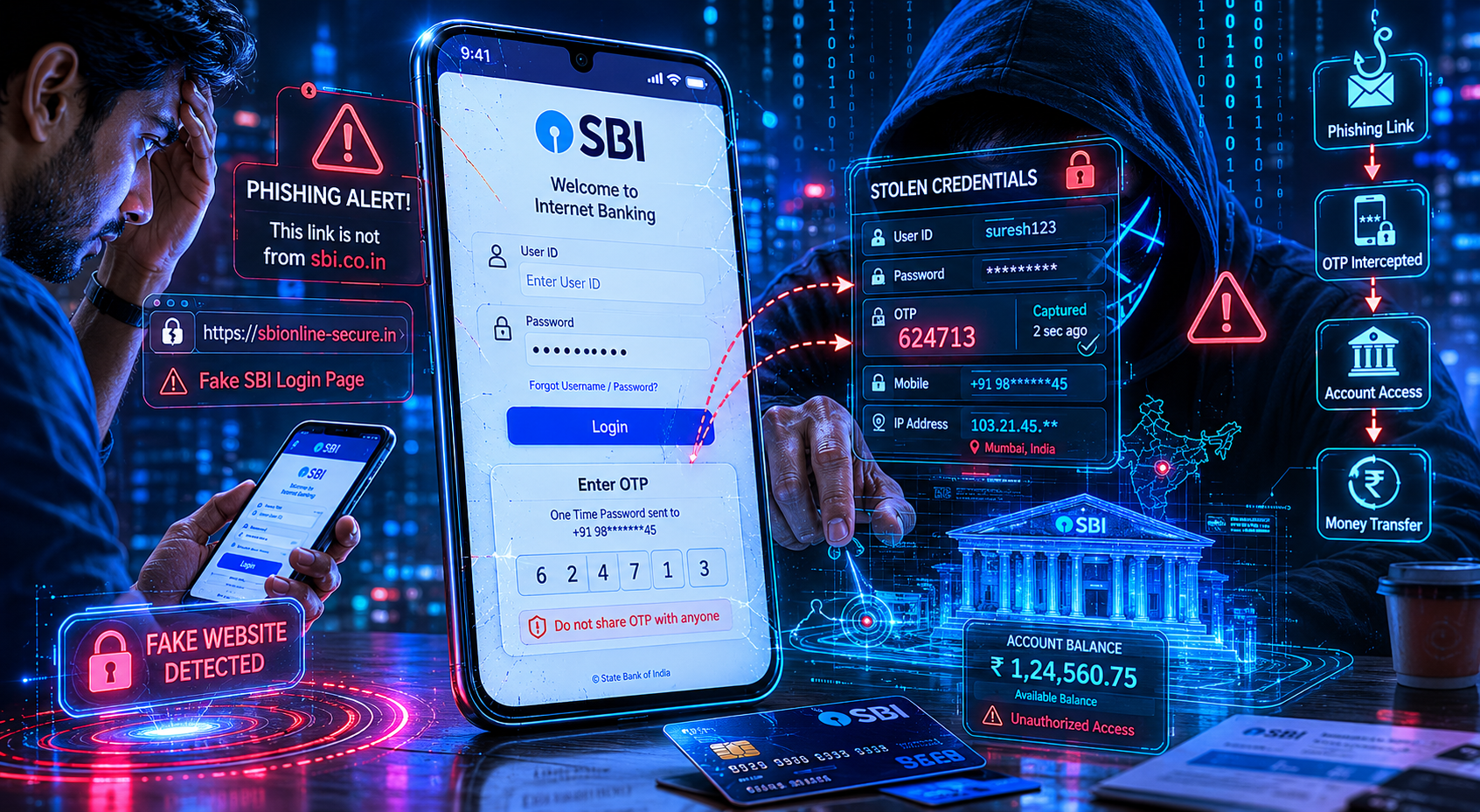
Modern phishing websites closely imitate real banking portals to steal credentials.
What Are Fake Banking Websites?
A fake banking website is a fraudulent webpage designed to impersonate a legitimate bank or financial institution. Its goal is simple:
Modern phishing kits replicate: login forms, security prompts, OTP verification flows, and even post-login dashboards to create seamless deception.
How Phishing Websites Work
Most phishing attacks follow a predictable attack chain:
- Victim receives urgent message
- User clicks phishing link
- Fake banking portal opens
- Credentials are captured
- OTP intercepted in real time
- Account takeover occurs
Modern phishing attacks now use Adversary-in-the-Middle (AiTM) techniques to bypass OTP verification in real time.
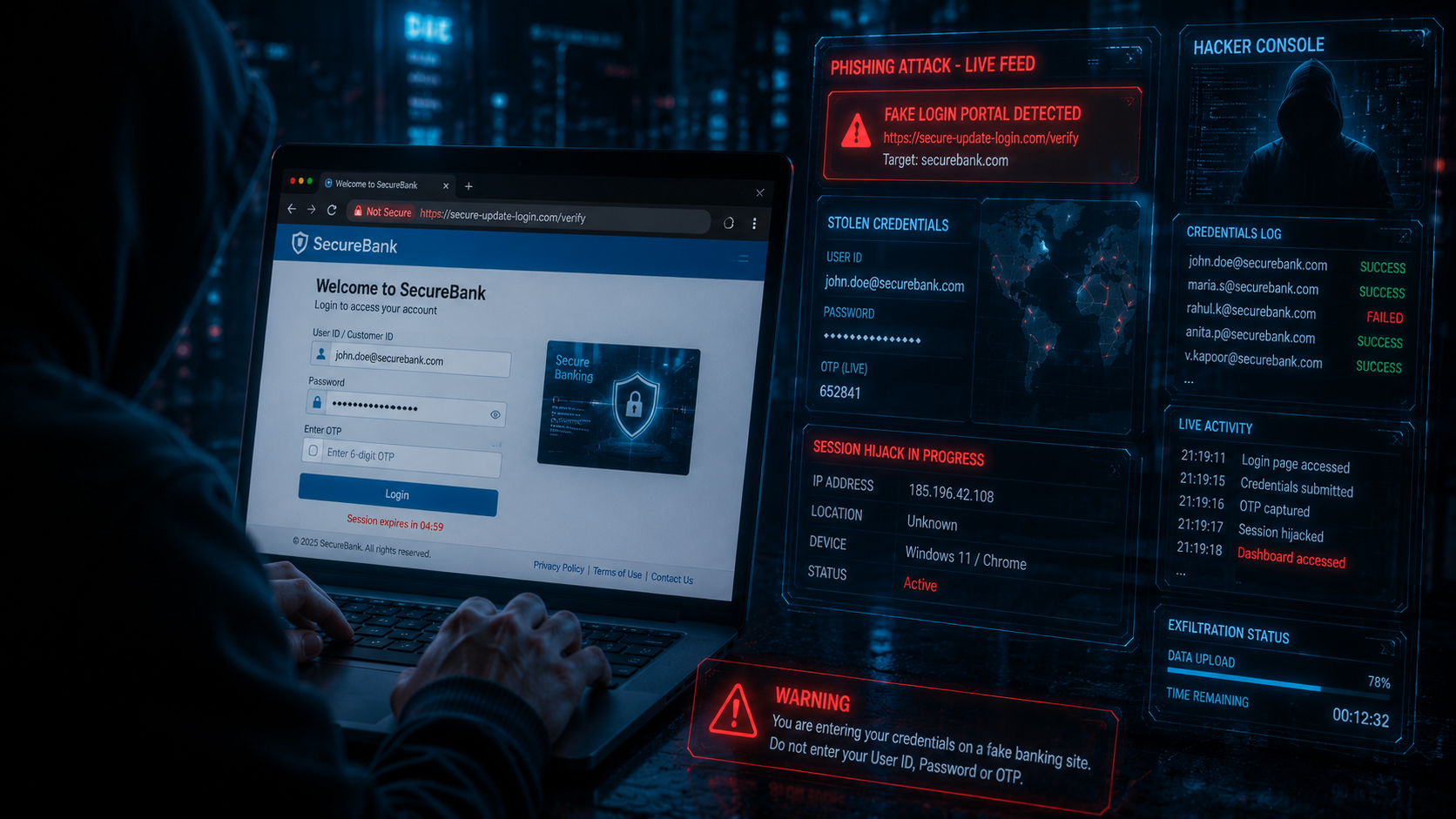
Attackers replicate real banking portals with near-perfect visual accuracy.
Most Common Signs of a Fake Banking Website
Suspicious Domains
Attackers use look-alike domains:
• hdfc-secure-login.com
• icicibankverify.net
• sbi-account-check.xyz
Fear & Urgency
Messages create panic:
“Account blocked”
“KYC expired”
“Verify immediately”
Credential Harvesting
Victims unknowingly provide:
• passwords
• OTP codes
• banking credentials
• card details
The HTTPS Myth
One of the biggest misconceptions in online banking security is:
“If the website has a padlock icon, it must be safe.”
That is false.
Fake banking websites routinely use valid SSL certificates to appear trustworthy.
How Attackers Manipulate Victims
The technical side of phishing matters. But psychology is what makes attacks succeed.
Scammers exploit:
- Fear
- Authority
- Urgency
- Confusion
- Trust
Victims often make rushed decisions under emotional pressure.
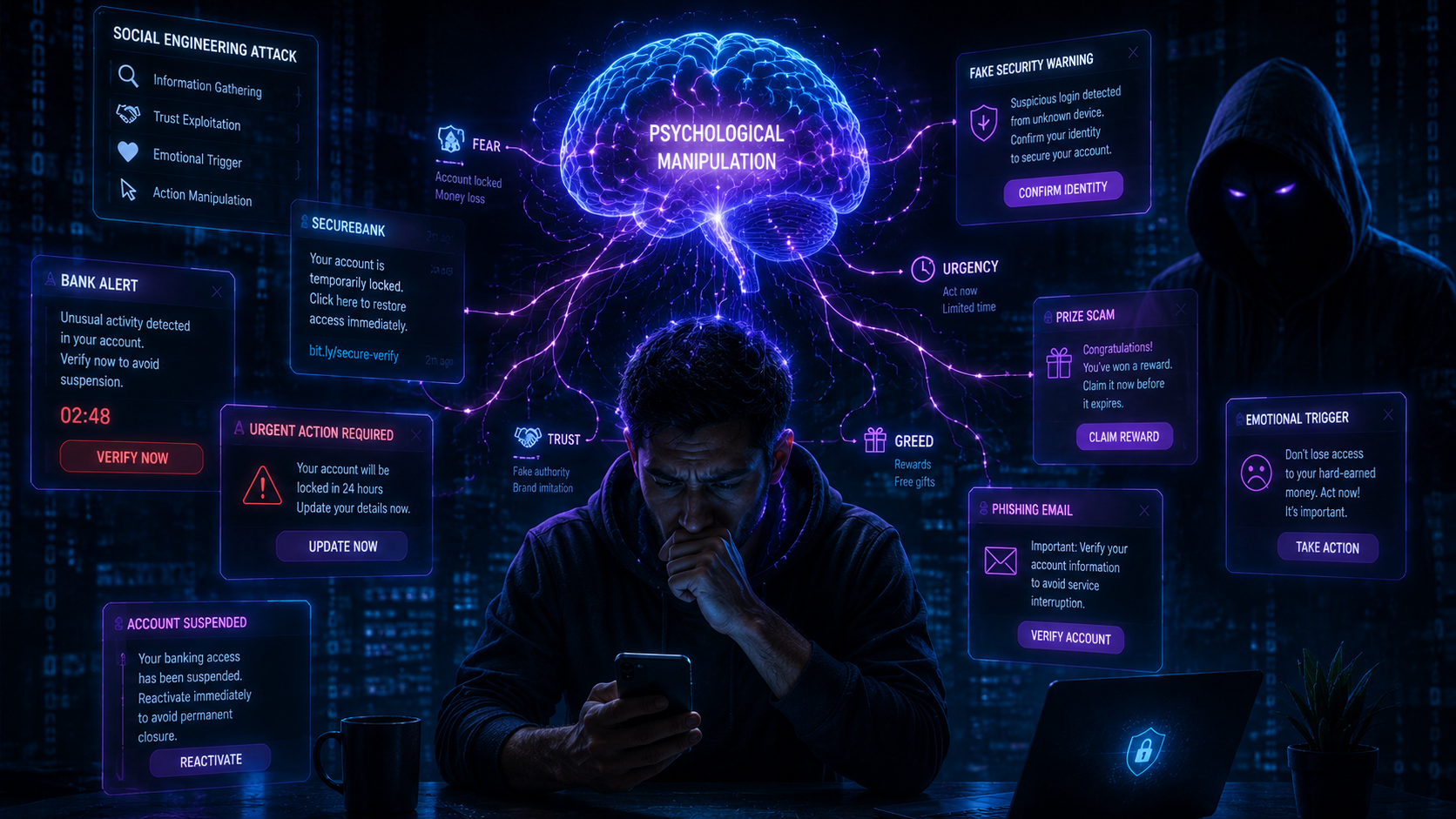
Modern phishing attacks target psychology more than technology.
Mobile Banking & UPI Phishing
Mobile banking has become the primary attack surface for cybercriminals. Attackers exploit: hidden mobile URL bars, fake UPI apps, QR phishing, and remote access scams to steal money and credentials.
How ThreatLens AI Helps
ThreatLens AI focuses on: behavioral threat analysis, URL intelligence, and phishing detection to identify suspicious websites before users become victims.
Behavioral Analysis
Detects urgency-driven language, fear tactics, and phishing communication patterns.
URL Intelligence
Analyzes spoofed domains, subdomain abuse, and suspicious URL structures.
Threat Detection
Identifies phishing indicators associated with credential theft and scam infrastructure.
How to Stay Safe Online
- Type banking URLs manually
- Never trust banking SMS links
- Use official banking apps only
- Verify full domains carefully
- Enable multi-factor authentication
- Use password managers
- Avoid public WiFi for banking
- Analyze suspicious URLs first
If You Entered Credentials on a Fake Site
• Contact your bank immediately • Freeze suspicious transactions • Change passwords instantly • Report at cybercrime.gov.in • Monitor banking activity closely
The Future of AI-Powered Phishing
AI is making phishing attacks more sophisticated than ever before. Attackers now use:
- AI-generated phishing emails
- Dynamic fake banking pages
- Deepfake voice scams
- Real-time OTP relay systems
- AI-assisted social engineering
The barrier to cybercrime is rapidly decreasing.
Final Thought
Modern fake banking websites are designed to bypass casual inspection. They: look legitimate, use HTTPS, and exploit human psychology with alarming precision.
Fear and urgency are the real attack surface. Slow down. Verify carefully. Trust only official channels.